
AutoClick has gone through several revisions — the version here is Auto-Click 4.0. Rather than a generic "how to build an auto-clicker," this is the actual path I took across four stages: the enclosure in CAD, the circuit board, the manufactured boards, and the finished, illuminated product.
The idea: a hardware HID device
A software auto-clicker is just a program, and many applications and operating systems block or distrust them. A hardware auto-clicker sidesteps that entirely: it enumerates as a standard USB Human Interface Device (HID) mouse, so to the computer it is simply another pointing device sending genuine click events. No drivers, no software to install. The firmware's job is small but precise — describe a mouse to the host during enumeration, then emit click reports at the chosen interval.
Stage 1 — the enclosure, designed first in FreeCAD
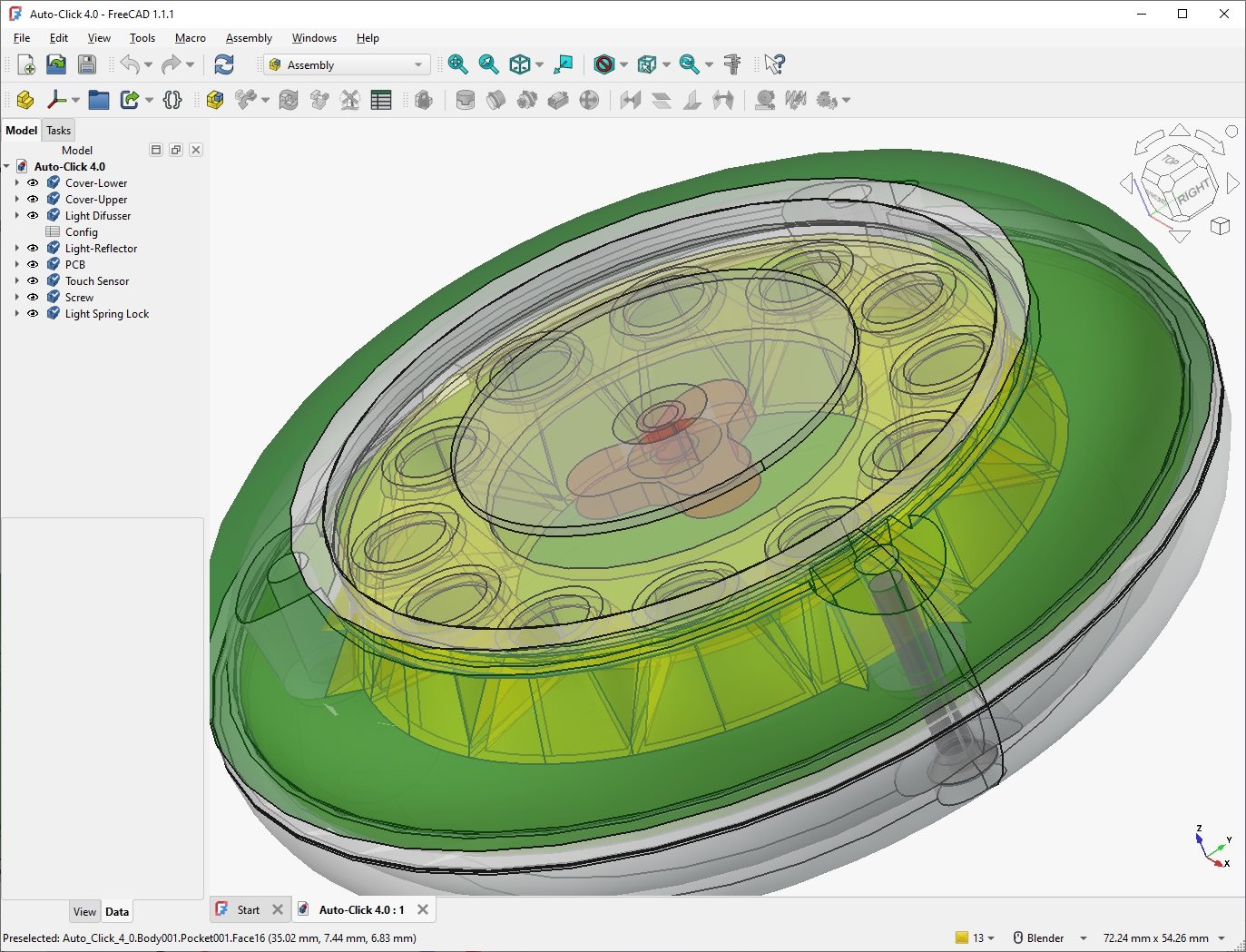
I model the whole device as a FreeCAD assembly so the parts are guaranteed to fit before anything is printed or ordered. Auto-Click 4.0 breaks down into named components: a lower and upper cover, a light diffuser and light reflector for the LED ring, the PCB itself, a touch sensor, and the screws and spring lock that hold it together. Designing the case around the real board dimensions — not the other way around — is what makes the parts drop together on the first print.
Stage 2 — the circuit board in KiCad
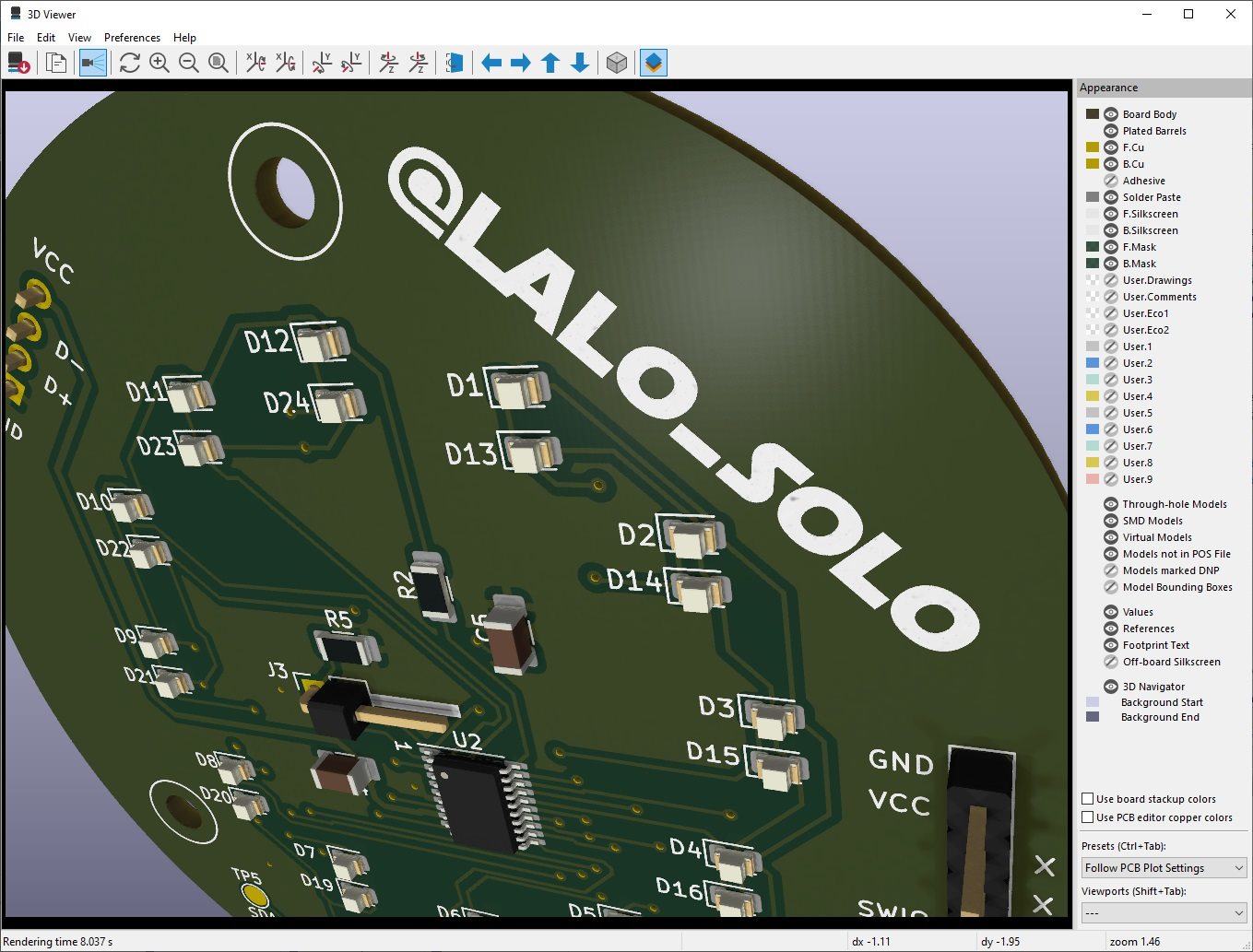
The board is round to sit inside the puck-shaped case, with a ring of 24 LEDs (D1–D24) around a central microcontroller that light the diffuser. Around it are the USB data lines, decoupling, an I²C bus broken out to test points (SDA/SCL), and a single-wire programming header (SWIO). Laying it out in KiCad meant balancing the LED ring's symmetry against keeping the USB and power traces short and clean.
Stage 3 — the manufactured boards
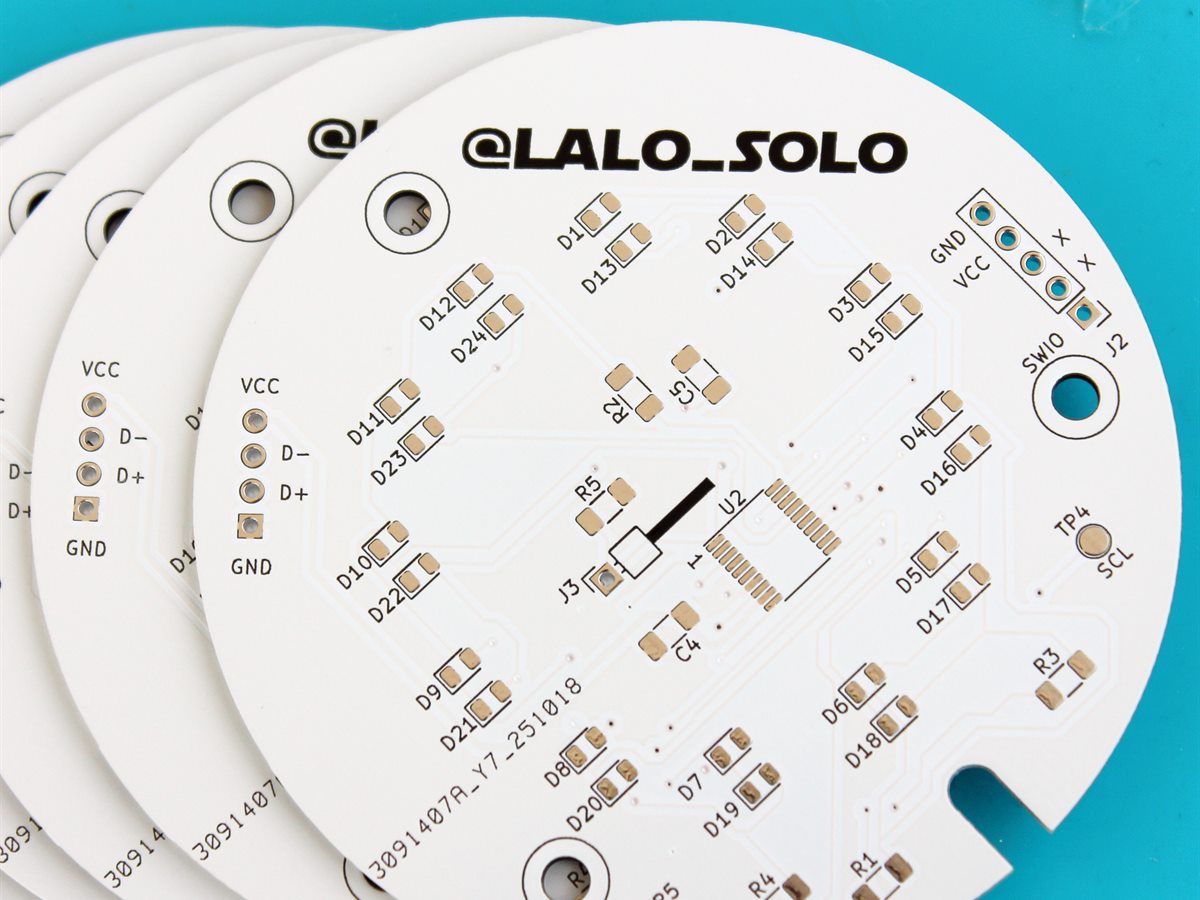
Seeing the physical boards match the 3D render is the payoff of a careful layout: the footprints line up, the silkscreen is legible, and the panel is ready for the LED ring and microcontroller to be populated. This is also the moment small mistakes would show up, which is why the design-rule check and 3D preview in the KiCad stage matter so much.
Stage 4 — the finished product
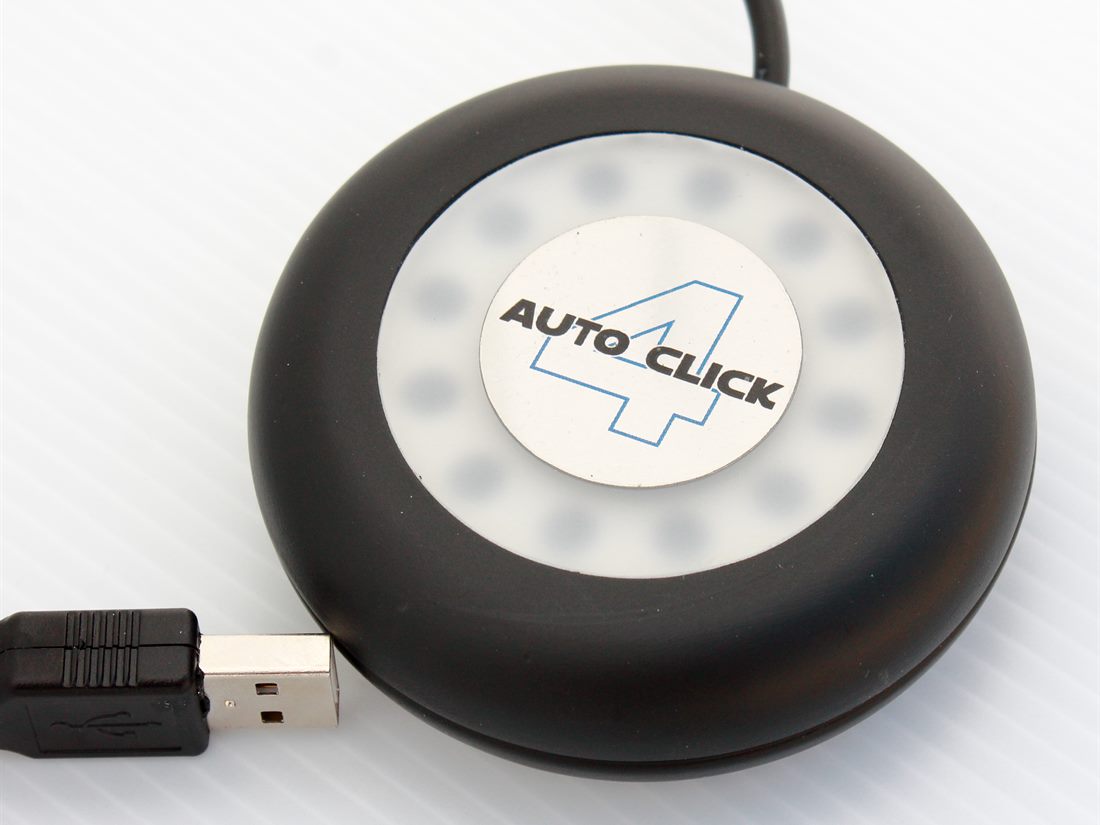
Assembled, the LED ring glows evenly through the diffuser, the touch sensor triggers from the top surface, and the USB plug hangs off the side. What turns it from "a thing I built" into a product is the unglamorous polish:
- A clear illuminated indicator so you can see its state at a glance.
- An enclosure that protects the electronics and looks intentional.
- Predictable behaviour on plug-in, every time, with no setup.
- Sensible defaults so it is useful straight out of the box.
A project becomes a product when someone can use it without you standing next to it explaining how.
Why these end-to-end builds matter
AutoClick is where the separate skills I enjoy — electronics design in KiCad, firmware, CAD, and 3D printing — converge into one object. That whole-stack practice mirrors the mindset I bring to my day job delivering IT projects: understand the requirement, design a solution, and ship something that works in someone's hands.
Building your own HID device? Get enumeration and a single correct click working first. Everything else — timing, the LED ring, the enclosure — is easier once the host trusts your descriptor.