
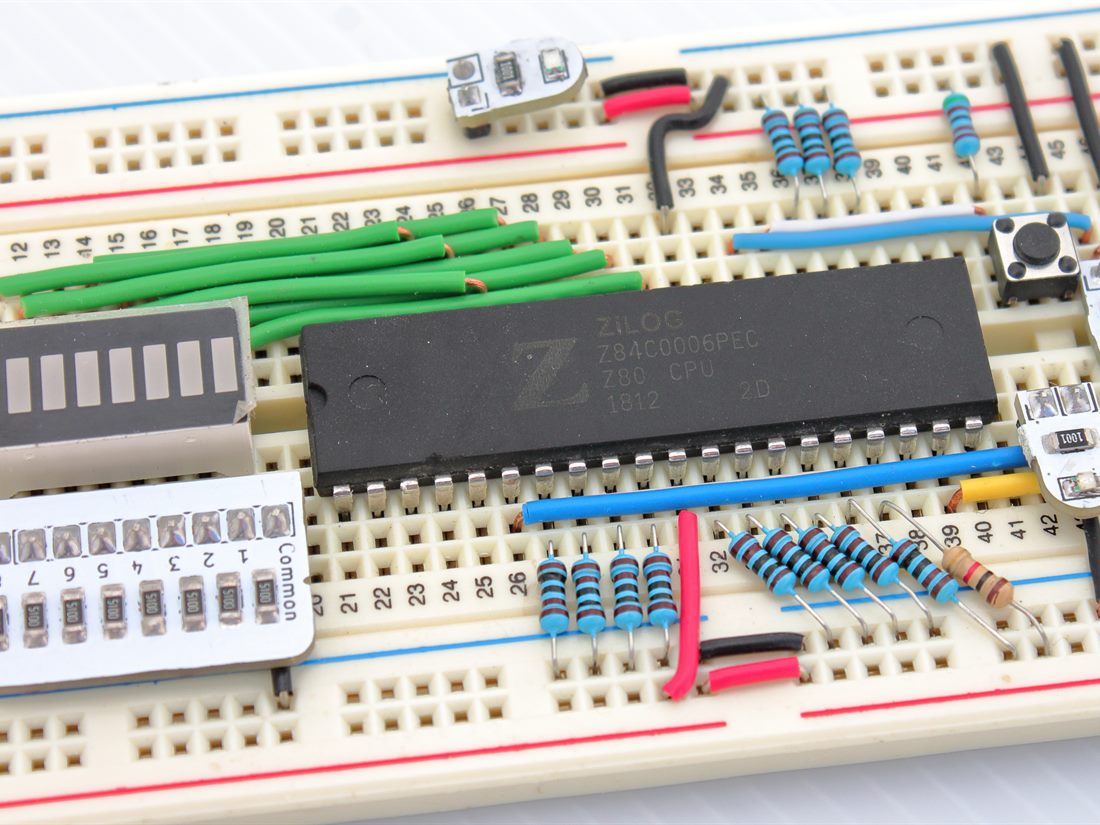
Why the Z80
The Z80 is an 8-bit CPU from 1976 that is still manufactured today. It is forgiving of hand-wiring: it runs at whatever clock speed you feed it — including a slow, hand-pressed one — has a simple, well-documented bus, and needs only a single 5 V supply. That combination makes it the ideal CPU to build with on a breadboard, where a modern high-speed part simply would not tolerate the wiring.
What a CPU needs to run
A CPU on its own does nothing. To get the Z80 to execute even one instruction you have to provide the whole environment around it:
- A clock. Every step the CPU takes is driven by a clock edge. For debugging, a slow or even manual single-step clock is gold — you can watch each cycle happen.
- A reset circuit. On power-up the CPU must be held in reset briefly so it starts from a known state (address 0x0000).
- Memory. A ROM (or EEPROM) holding the program the CPU fetches, and usually some RAM for it to work in.
- The buses. A 16-bit address bus, an 8-bit data bus, and the control lines (read, write, memory request) that coordinate who is talking to whom.
Watching it think
The magic moment is single-stepping. With a manual clock and LEDs on the
address bus, each press advances the CPU by one cycle and the address
lines visibly count up — 0x0000, 0x0001,
0x0002 — as it fetches instructions in sequence. Loading a
tiny program (even just a NOP loop, or incrementing a value) and
watching the buses change makes the fetch-decode-execute cycle
completely concrete in a way no diagram can.
Nothing demystifies "how a computer works" like pressing a button and watching the address bus tick forward one instruction at a time.
Debugging a bus by hand
Hand-wired buses fail in instructive ways: a single mis-seated jumper on one address line sends the CPU fetching from the wrong place, and the pattern of wrong addresses usually points straight at the loose wire. A logic probe or an oscilloscope on the clock and control lines confirms the CPU is actually being clocked and is asserting its read line at the right time. Most "it doesn't work" moments come down to the clock, the reset timing, or one wire in the wrong hole.
What it teaches
Building a Z80 system by hand turns abstract computer-architecture terms — address decoding, memory maps, bus timing — into things you have physically wired and can point at. It is the same instinct behind the rest of my projects: to really understand something, build the whole thing from its parts. After this, reading a datasheet's timing diagram feels a lot less intimidating.
Start with a manual single-step clock and LEDs on the address bus before anything else. Being able to watch each cycle turns debugging from guesswork into observation.